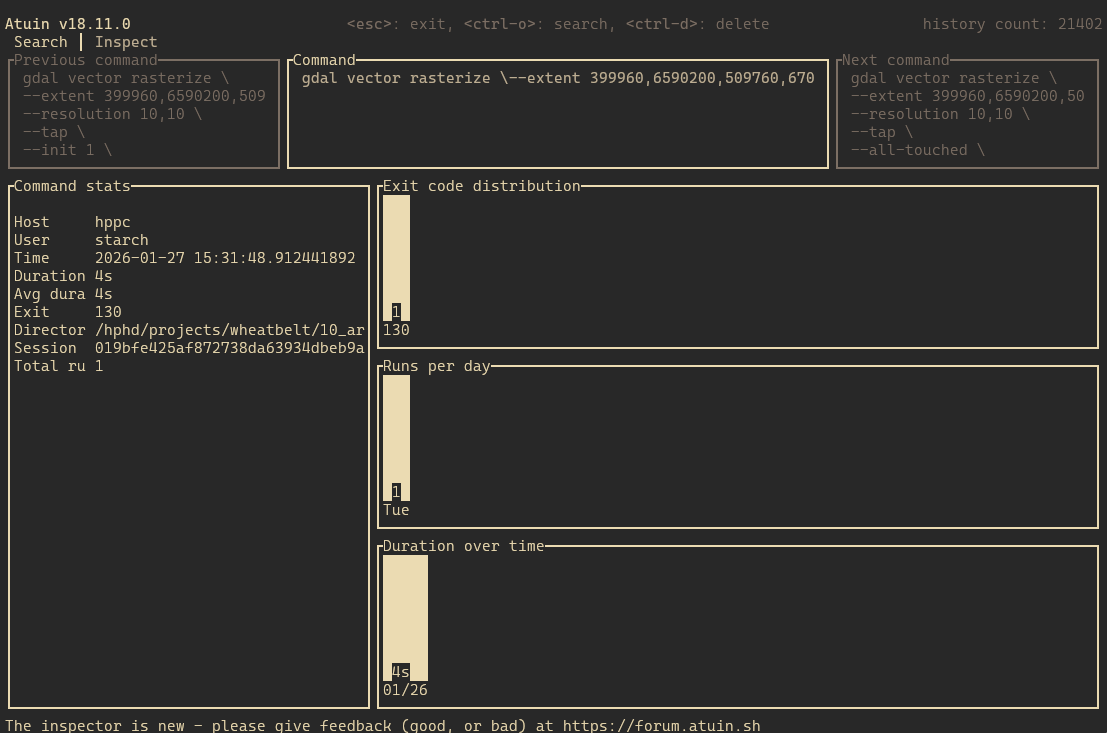
I work with some long multi line commands. While I have 5 lines to be shown in the regular command list, it is often not enough, so I open the inspector to see which command I’m looking at.
As you can see in the screenshot, Previous command and Next command both have new lines included, while the actual Command is displayed in a single line and clipped by the pane.
However in all three cases, I still can’t see the full command that was run.
At the same time, I see a lot of space being used for the three command stats panes on the bottom right, and while charts are nice, they do take a lot of space to convey simple information.
In my personal case, statistics aren’t as relevant and given the option I’d trade them for being able to read longer commands, or have them in a text-tabled format.