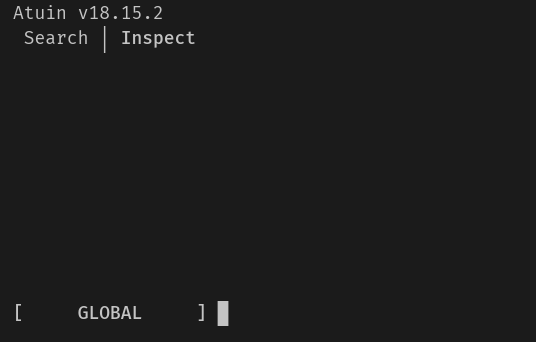
I’m seeing the exact same thing - atuin search works, but any of the search modes shows empty. Tested on fish (my regular shell), bash (raw / no actual .bashrc) and zsh (also raw).
search_mode = "daemon_fuzzy" will mean that you are, and in order for search to function the daemon must be running. Docs for the daemon: daemon - Atuin Documentation
Either way, I would recommend using it. Searches (and everything else) will be much faster
In the meantime I’ve tried updating from 18.13.6 a few times, but search was empty all the time. The only thing which gave some results was search_mode = "skim".
Now with 18.19.0 this workaround is gone. Current state with search_mode = "daemon-fuzzy" and daemon autostart:
Search with Ctrl-R is still empty, but atuin search returns results.
One log entry looks suspicious though:
2026-08-04T20:09:29.579914Z INFO atuin_daemon::components::search: Loading history into search index; page size = 5000 2026-08-04T20:09:29.580116Z INFO atuin_daemon::components::sync: sync loop starting 2026-08-04T20:09:29.580182Z INFO atuin_daemon: config file watcher started 2026-08-04T20:09:29.580433Z INFO atuin_daemon::components::search: Frecency map built 2026-08-04T20:09:29.580524Z INFO atuin_daemon::components::sync: sync tick 2026-08-04T20:09:29.972238Z INFO atuin_daemon::components::search: Loading 5000 history entries into search index 2026-08-04T20:09:30.310276Z INFO atuin_daemon::components::search: Loading 5000 history entries into search index 2026-08-04T20:09:30.679108Z INFO atuin_daemon::components::search: Loading 5000 history entries into search index 2026-08-04T20:09:30.956605Z INFO atuin_daemon::components::search: Loading 5000 history entries into search index 2026-08-04T20:09:31.188645Z INFO atuin_daemon::components::search: Loading 5000 history entries into search index 2026-08-04T20:09:31.383995Z INFO atuin_daemon::components::search: Loading 5000 history entries into search index 2026-08-04T20:09:31.565206Z INFO atuin_daemon::components::search: Loading 5000 history entries into search index 2026-08-04T20:09:31.732223Z INFO atuin_daemon::components::search: Loading 5000 history entries into search index 2026-08-04T20:09:31.883683Z INFO atuin_daemon::components::search: Loading 5000 history entries into search index 2026-08-04T20:09:32.015739Z INFO atuin_daemon::components::search: Loading 5000 history entries into search index 2026-08-04T20:09:32.102161Z INFO atuin_daemon::components::search: Loading 5000 history entries into search index 2026-08-04T20:09:32.122840Z INFO atuin_daemon::components::search: Loading 1135 history entries into search index 2026-08-04T20:09:32.123522Z INFO atuin_daemon::components::search: History load complete; 0 unique commands indexed 2026-08-04T20:09:32.123550Z INFO atuin_daemon::components::search: Frecency map built
Do you also get zero results if you start with a filter that should give you a few results?
I suspect, you have some kind of invalid characters in your history.
Confirming the same issue on 18.19.0 (Raspberry Pi 4, aarch64, Raspberry Pi OS):
atuin history list and atuin search <query> return full results, but Ctrl-R/up-arrow interactive search is empty. Same daemon log pattern as reported above (Loading N history entries into search index followed by History load complete; 0 unique commands indexed).
Additional data point: switching search_mode from daemon_fuzzy to plain fuzzy does not fix it either on 18.19.0 - still zero results interactively, only non-interactive commands work. So this doesn’t look daemon-specific anymore; the indexing problem seems to affect the fuzzy engine generally, not just the daemon path.
Also tried downgrading to 18.13.6 as a workaround (per this thread) and hit a new issue:
Error: migration 20260709214605 was previously applied but is missing in the resolved migrations
18.13.6 refuses to start at all against a history.db that’s already been migrated forward by 18.19.0 - fails safe, no data touched, but it means the 18.13.6 workaround isn’t reachable anymore without restoring a pre-18.14ish backup of history.db. Might be worth a note in this thread that the downgrade path is closing off as people update forward.

 will get it fixed for the next release. sorry about that